

Chest protection
Added in v1.0.1
On a server, everyone ends up coming home to an emptied chest. This mod fixes that without a plugin: whoever places a chest first owns it, period.
Who can open it?
| Who you are | What happens |
|---|---|
| The owner | You open it, nothing to report |
| An allowed player | You open it, and the owner is notified |
| A stranger, owner online | A request is sent to the owner |
| A stranger, owner offline | Denied right away |
Access requests
When someone tries to open your chest, you get a chat message with two clickable buttons: Accept and Deny.
You have 30 seconds. With no answer, the request expires and access is denied. The person waiting sees "Request sent to X. Waiting for their answer (30s)...": they know someone was notified, which keeps them from spamming.
Naming a chest
When you have ten chests in a row, finding the one with the ore gets annoying fast. Give each one a name and an icon: they show above the chest, and you recognize it at a glance.
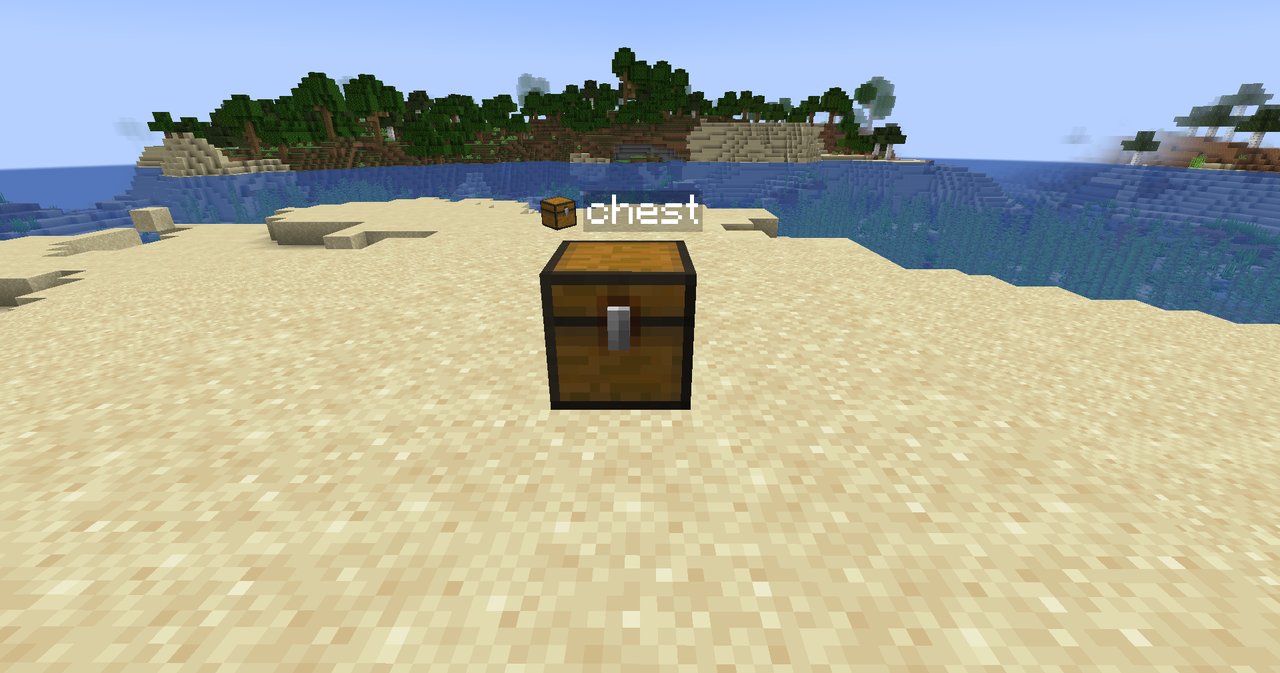
Open your chest. At the top right of the interface, you'll find two things:
- A text field "Chest name...". Type the name.
- An icon slot just to its left. Pick up an item on your cursor and click it: a sword for the weapons chest, a carrot for the food. Click with an empty hand to go back to the chest icon.
Close the chest, and it's saved. To remove the name, clear the field.
Breaking a protected chest
Impossible if you're not the owner: "This chest belongs to X. You cannot break it."
Turning protection off
It's a gamerule, on by default. In a single-player world or among friends, you can turn it off:
/gamerule chestprotection false